Preview tool
About the page
Preview tool is an internal product at ironSource–Unity, developed by the Ad Player team to support the testing and optimization of in-game ad templates across mobile and tablet platforms. The tool enables teams to simulate real ad experiences within different applications and evaluate ads based on visual design, behavior, and monetization performance.
My role
Product marketing designer
Company
Unity Technologies
Team
Ad player

Wireframes

The design before

Performance page design after the revamp (V4 design)

Layout | Basic (The design after the improvements)

Layout | Advanced (The design after the improvements)
Performance page design after the revamp (V4 design)
About the page
The platform performance page is the most widely used and adopted page on the platform, providing valuable insights and analytics that enable users to better understand their monetization performance. With in-depth filters and helpful breakdowns, their Performance Reports provide the necessary granular data you need to make informed decisions to achieve monetization success.
Context & Challenge
Following the IronSource–Unity merger, there was a clear need for a unified design language and an upgraded technological infrastructure across existing reporting pages. The legacy codebase made issue tracking challenging and hindered the development of new features that address users’ critical workflow pain points.
At the outset, several key features were missing, and the design system was outdated. As this is a core page of the platform, our goal was to improve usability and provide meaningful, practical features.Additionally, as part of the revamp, we looked at other reporting pages with the possibility of consolidating them. From this perspective, we decided to incorporate user activity metrics into the Performance page.
My role
Product designer
Team
Unity Levelplay
Brief
Page revamp
Goals
• Improve the UX of our reporting pages
• Support key product feature requests
• Revamp the platform using the V4 design system
Approach
We conducted extensive research into competitors with similar products, ensuring that our redesign would address user pain points and include features missing from other solutions.
User interviews were carried out to uncover pain points and gather requests for future features. We also created customer journey maps to better understand the user experience and identify key opportunities for improvement.
The problem
The Ad Player team needed a faster and more reliable way to:
-
Test multiple ad templates across different environments
-
Understand how design decisions impact user behavior and revenue
-
Compare performance using A/B testing without relying on external tools
However, the existing experience suffered from:
-
Poor data hierarchy and information overload
-
Unclear user flows for different user types
-
Difficulty identifying critical features and actions
-
An outdated UI that did not reflect the product’s maturity
Process
Working closely with developers and stakeholders, we designed and tested multiple ad templates and user flows.
A core focus was understanding how small UX decisions influence ad performance.
For example:
An oversized exit (“X”) icon allows users to close the ad immediately, reducing exposure time and advertiser revenue. By experimenting with smaller, less dominant exit icons, we were able to extend ad visibility by a few seconds—significantly increasing the likelihood of user engagement. When users ultimately choose to click Install, this represents a successful balance between user experience and monetization goals.
A/B testing played a critical role in validating these design decisions and aligning UX outcomes with business impact.
Solution
-
Defined two clear user flows: Basic and Advanced, tailored to different experience levels and needs
-
Reorganized information architecture to prioritize the most impactful data
-
Introduced a centralized main form that aggregates all key actions in a single, accessible location
-
Highlighted critical features and states to reduce cognitive load
-
Refreshed the UI with a modern look & feel aligned with Unity’s design standards
Impact
-
Faster and more informed decision-making for the Ad Player team
-
Improved efficiency in testing and comparing ad templates
-
A clearer understanding of how UX decisions affect revenue and user behavior
-
A scalable foundation for future ad formats and experimentation
About the page
The platform performance page is the most widely used and adopted page on the platform, providing valuable insights and analytics that enable users to better understand their monetization performance. With in-depth filters and helpful breakdowns, their Performance Reports provide the necessary granular data you need to make informed decisions to achieve monetization success.
Context & Challenge
Following the IronSource–Unity merger, there was a clear need for a unified design language and an upgraded technological infrastructure across existing reporting pages. The legacy codebase made issue tracking challenging and hindered the development of new features that address users’ critical workflow pain points.
At the outset, several key features were missing, and the design system was outdated. As this is a core page of the platform, our goal was to improve usability and provide meaningful, practical features.Additionally, as part of the revamp, we looked at other reporting pages with the possibility of consolidating them. From this perspective, we decided to incorporate user activity metrics into the Performance page.
My role
Product designer
Team
Unity Levelplay
Brief
Page revamp
Goals
• Improve the UX of our reporting pages
• Support key product feature requests
• Revamp the platform using the V4 design system
Approach
We conducted extensive research into competitors with similar products, ensuring that our redesign would address user pain points and include features missing from other solutions.
User interviews were carried out to uncover pain points and gather requests for future features. We also created customer journey maps to better understand the user experience and identify key opportunities for improvement.
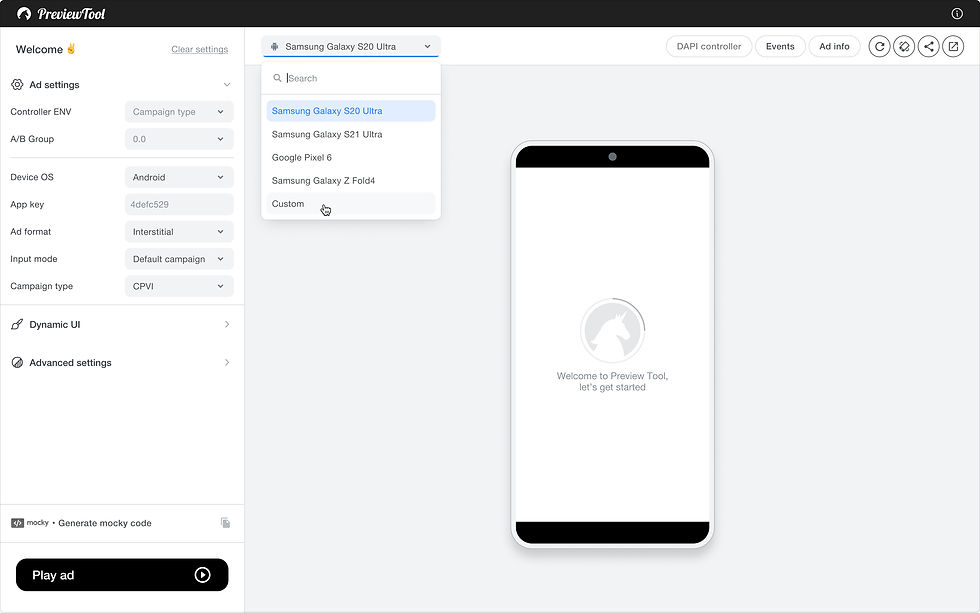
Top bar | Search

Top bar | Custom device size

Top bar | Custom device size
Added functionalities
General
-
Two distinct layouts for Basic and Advanced users.
-
A top bar with actions that affect the mobile preview.
-
An advanced side-menu form with multiple sections, such as “Ad Settings,” “Dynamic UI,” and “Advanced Settings,” for the advanced layout.
Features
-
Generate mocky code option
-
Tool information
-
DAPI controller + Events + Ad info (adjustments)
-
Events
-
ADM Input editor

Side menu form | Input mode

Side menu form | Campaign type (testing A/B group)

Side menu form_Generate mocky code > Copy to clipboard

Side menu form_Copied successfully

Side menu form | Progress bar (Default > Enabled)

Side menu form | Progress bar_select color

Tool information
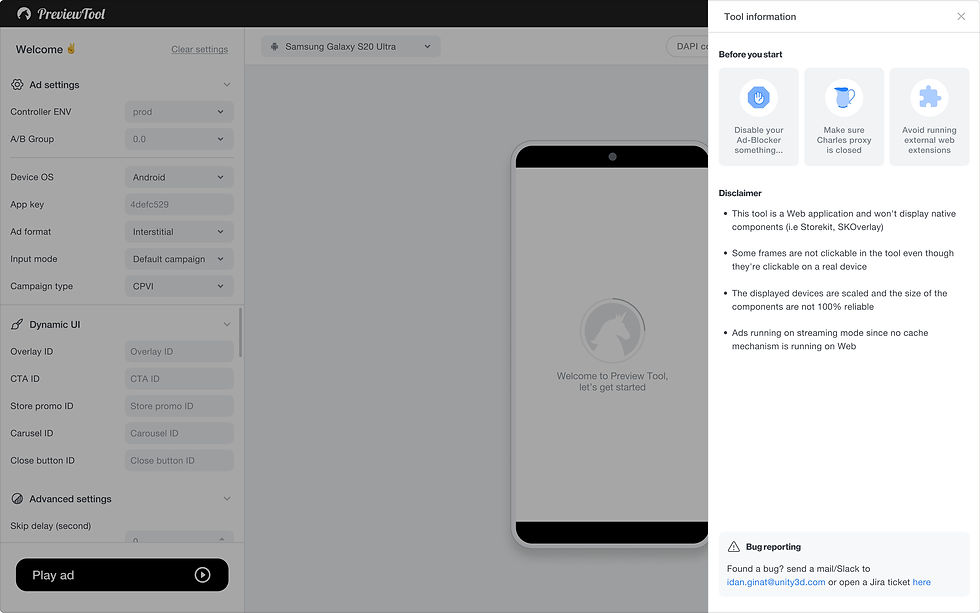
Tool information

Events

DAPI controller

Ad info
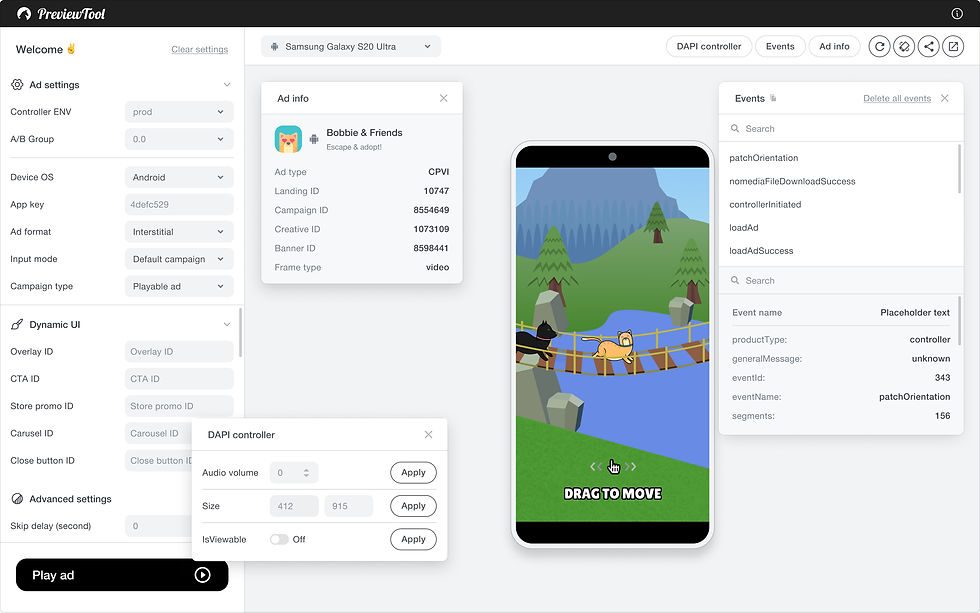
Events + DAPI controller + Ad info

ADM Input editor | Input mode > ADM/Mock

ADM Input editor | Edit

ADM Input editor
V4 design
-
The IronSource–Unity merger created a need for a unified design language and upgraded technological infrastructure across the existing reporting pages. As part of this effort, we initiated a revamp of the Preview Tool in preparation for potentially evolving it from an internal product to an external-facing solution integrated into Unity’s ecosystem.

Layout | Advanced

Layout | Basic

Top bar | Device

Top bar | App key doesn't support on Android

Side menu form | Progress bar color picker

Tool information

Events + DAPI controller + Ad info
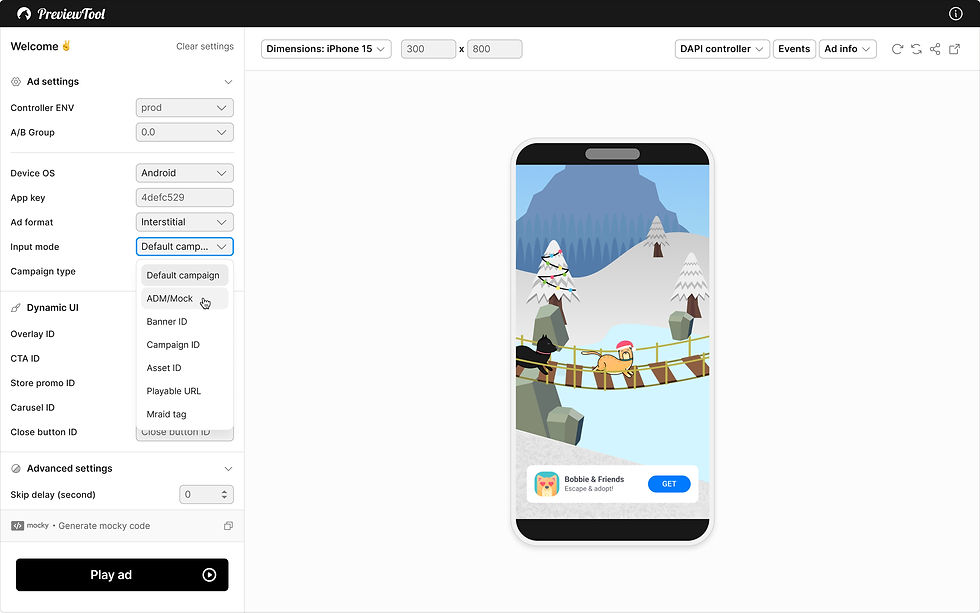
ADM Input editor

ADM Input editor
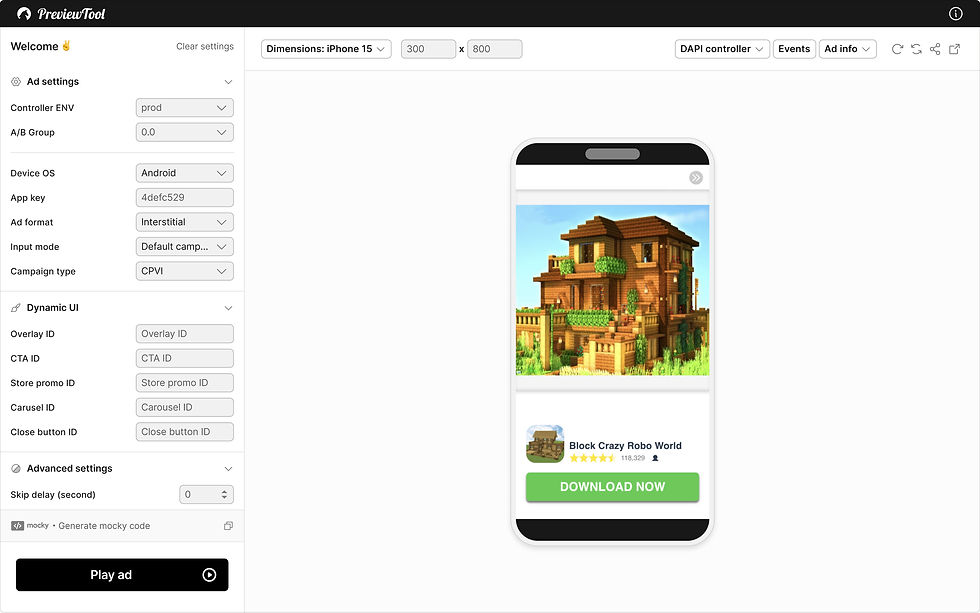
Light mode
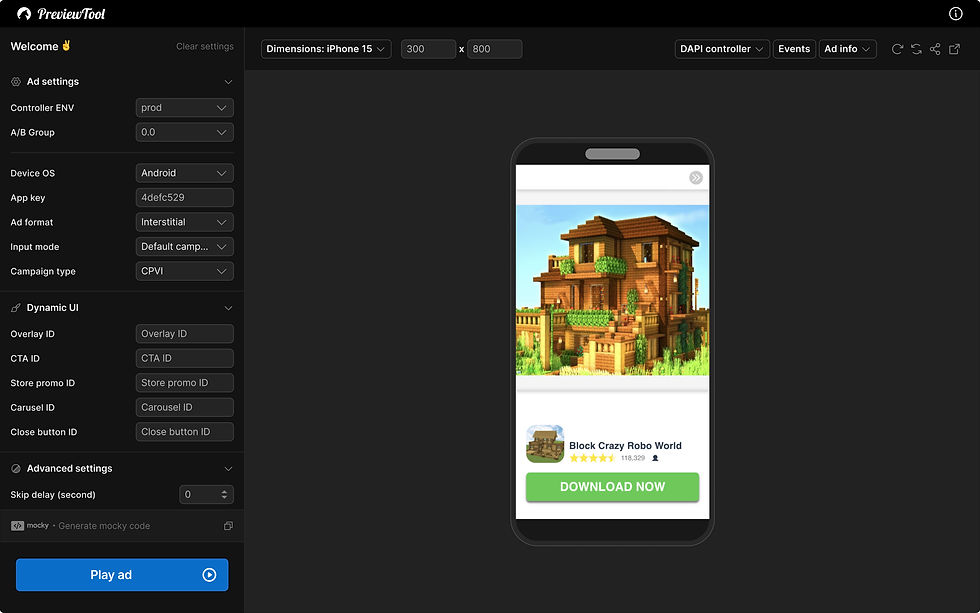
Dark mode | Default

Dark mode | Tool information

Dark mode | Events + DAPI controller + Ad info

Dark mode | Progress bar color picker

Dark mode | ADM Input editor
Future enhancement
Add a QR code to the Preview tool page that enables users to scan and preview the advertisement directly on their mobile device.
